Why quote tracking spreadsheets get messy
A spreadsheet usually works on day one. You create columns for customer, service, amount, status, and follow-up date. Then real work gets in the way.
Rows stop getting updated, follow-up dates pass quietly, color codes lose meaning, and the sheet becomes another place where estimates go stale. The issue is not that spreadsheets are bad. The issue is that quote follow-up needs a daily workflow.
For contractors, the problem is usually not storing quote information. The problem is knowing which open estimates need attention today without rebuilding filters, formulas, or color rules.
If the spreadsheet does not tell you who needs a follow-up today, it is not solving the hardest part of quote tracking.
Track the few fields that matter
A practical quote tracker should answer a few questions: who is the customer, what service did they ask for, what is the quote worth, what is the status, and when should you follow up next?
Adding too many columns makes the system harder to maintain when you are checking it between jobs or at the start of the day. QuoteChase keeps the daily fields front and center so the tracker stays usable.
- Customer
- Service or project type
- Quote value
- Status
- Next follow-up date
Separate open quotes from history
Your daily work should focus on quotes that still need action. Won and lost quotes matter for reporting, but they should not clutter the follow-up list.
When open quotes are mixed with old jobs and dead leads, it becomes harder to see who still needs attention. QuoteChase keeps won, lost, paused, overdue, and active estimates distinct so open money does not become invisible.
How QuoteChase is different from a spreadsheet
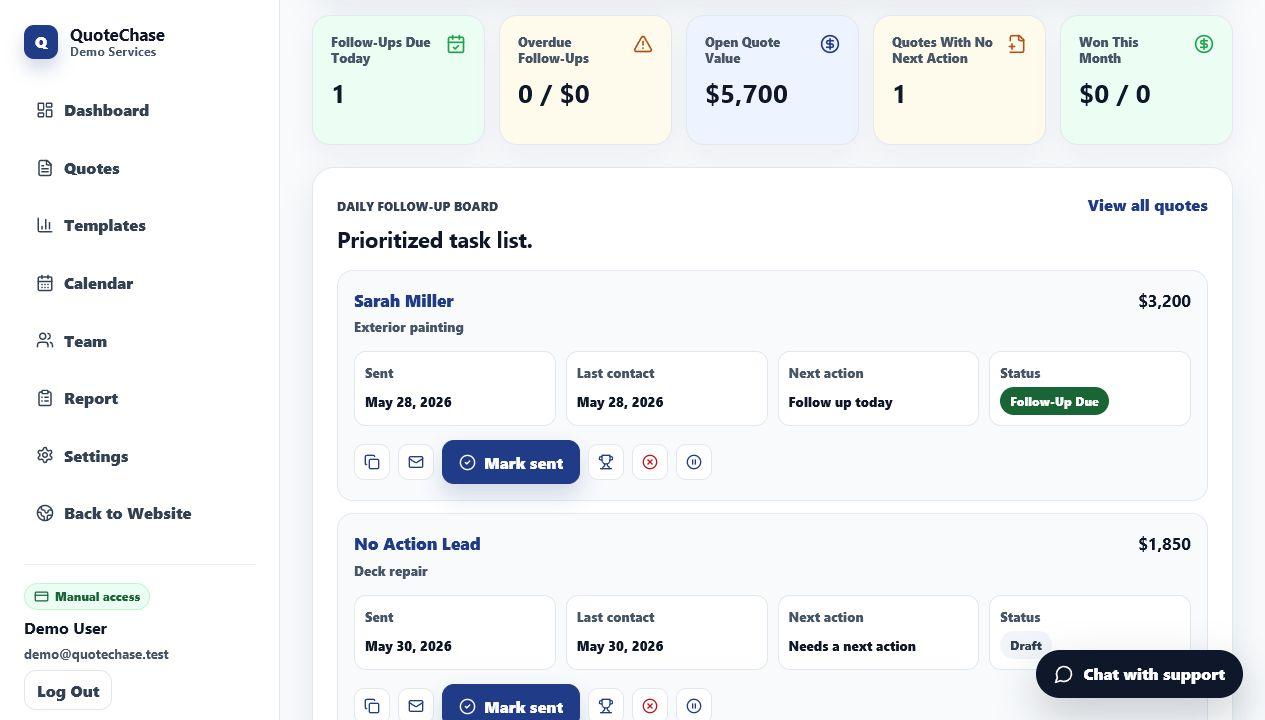
QuoteChase is built around status and next action. Each quote has a customer, service, amount, status, date sent, and next follow-up date.
Instead of scanning all rows, you can use focused views for today, overdue, open, won, lost, and quotes with no next follow-up date.
- No manual sorting to find today's follow-ups
- Open quote value stays visible
- Won and lost jobs stay separated from active estimates
- Templates help you send the next message faster
Move active quotes first
Start with active quotes. These are the estimates that still have a chance of turning into work. Add the customer, service, amount, and next follow-up date first.
Then add notes that help you follow up: timing, scope questions, budget concerns, customer preferences, or whether they asked you to check back later.
Spreadsheet alternative workflow
When you send a quote, add it to QuoteChase with a next follow-up date. Each morning, check the daily list and send quick follow-ups through your normal text or email app.
After the follow-up, mark the quote won, lost, paused, or set another date. That keeps the tracker clean and prevents open estimates from turning into stale spreadsheet rows.
Start with overdue quotes, then handle follow-ups due today, then review any open estimates that do not have a next date. The question is not whether you have quote data. The question is whether the next follow-up is obvious today.
Examples for service businesses
A pressure washing business can track driveway, siding, and storefront estimates by next follow-up date. A painter can track interior and exterior quotes without hiding them in a general job sheet.
A cleaner can track one-time deep clean estimates separately from recurring service quotes. A handyman can keep small repair quotes from disappearing just because each job is not huge.
When a spreadsheet still helps
Spreadsheets can still be useful for backups, accounting, or deeper reporting. QuoteChase is not trying to remove every spreadsheet from your business.
The goal is to stop using a spreadsheet as your memory for follow-up. CSV export is available on Solo, CSV import is available on Pro, and the day-to-day work happens in the follow-up board.